
Studio 2022 projects for external translation - now created
Completion requirements
• Native Studio 2022 projects generated as of 14th May.
• The projects are created using a new project template with XML Type 2. This change affects the processing of XML and XML4EP documents. For
- QE/QO
- Procedural XML4EP documents (PR, PA, AD, RR)
you may notice minor differences, such as changes in the labels displayed in the Document Structure column in the Studio Editor.
• The improved interactive Studio built-in Preview can now be used for all XML and XML4EP documents.
• Recommended use: the built-in Preview works very well for QEs/QOs and procedural documents and is recommended for these document types.
We will be updating the EXT SWPs and the Instructions as well, but it will take some time.
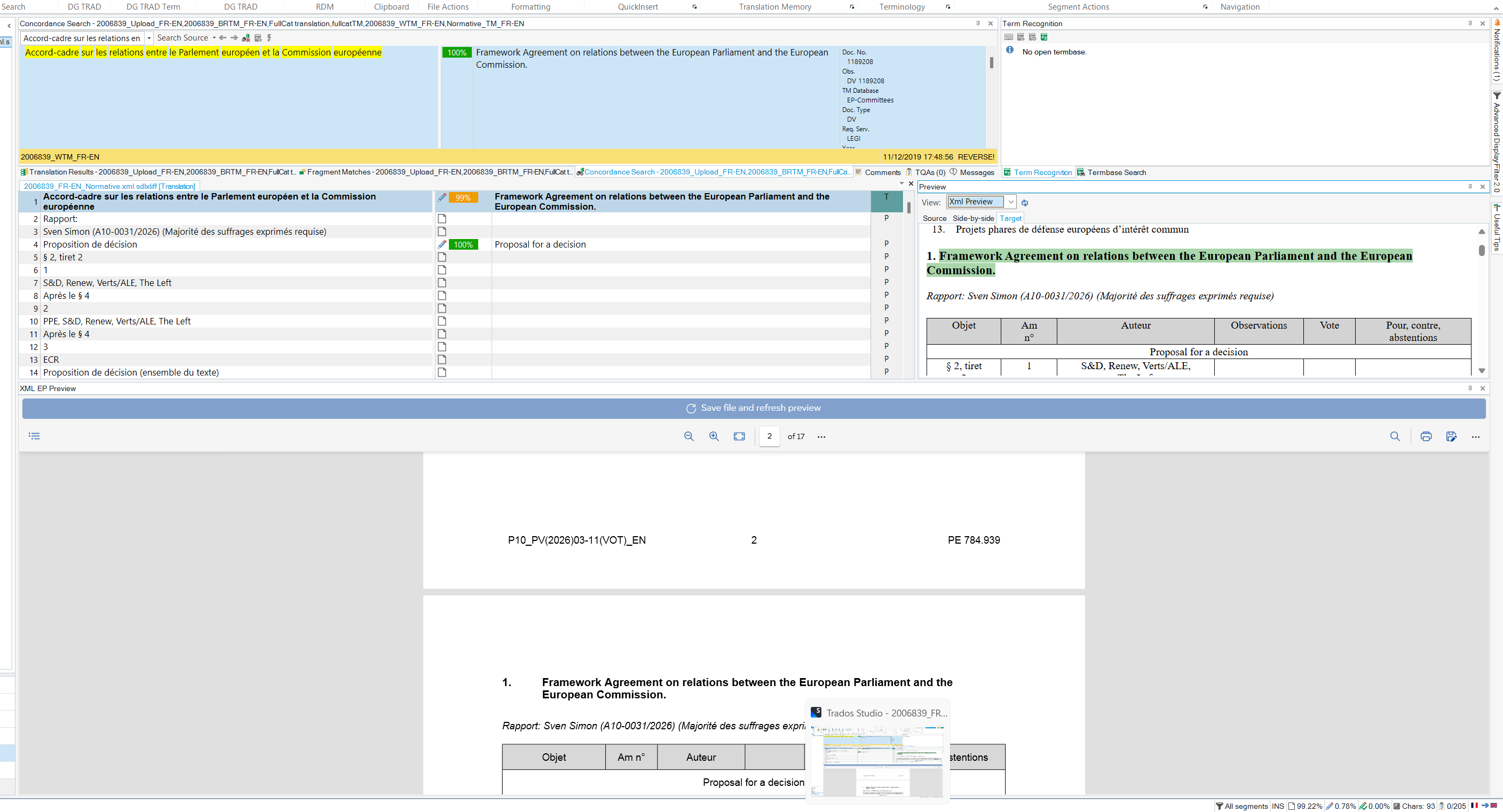
• Limitation for XML4EP procedural documents: for procedural documents, the built-in Preview only works on one document part at a time.
For example:
- if you are currently working in the Explanatory Statement section, the preview will only display that section;
- to preview another part of the document, e.g. the Motion for a Resolution, you must move in the Studio Editor to a segment belonging to that section and request the Preview again.
• If the built-in Preview is not working for your XML document, you are probably working on a project that was created before the change. The built-in Preview only works on native Studio 2022 projects.